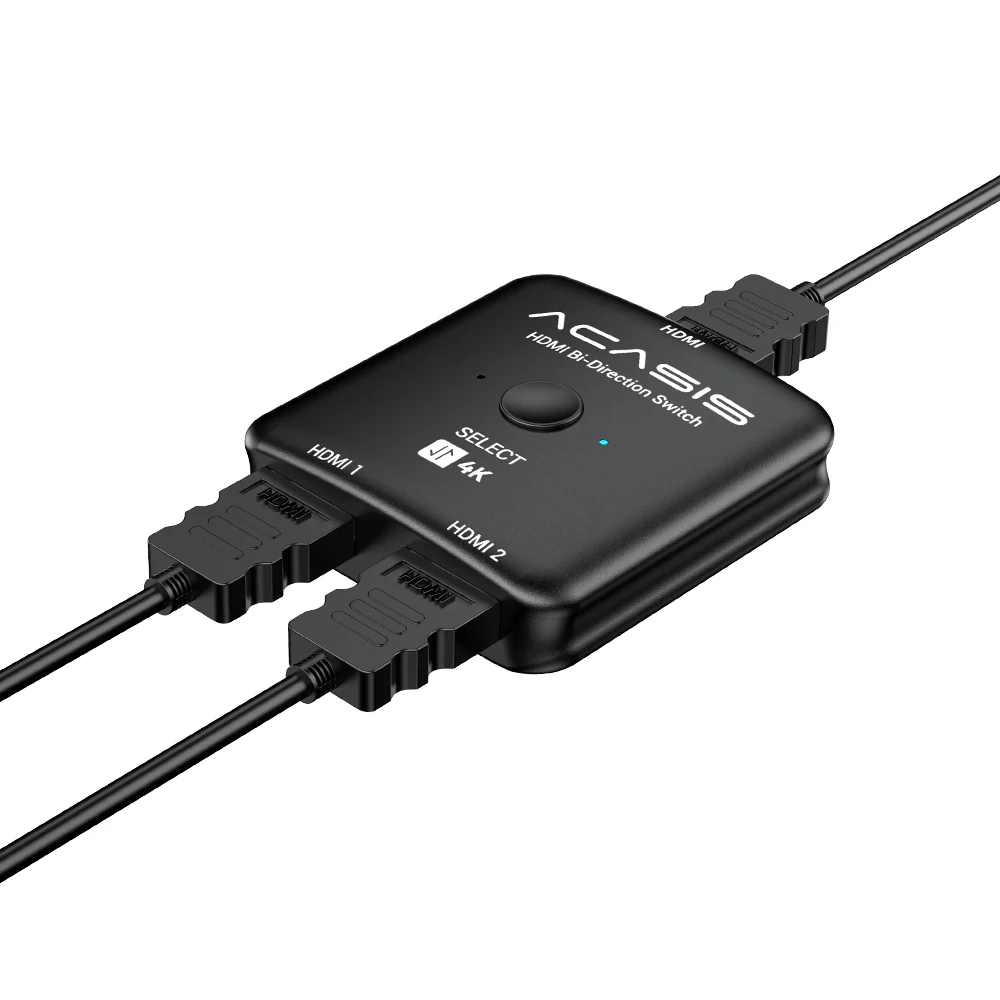
Acasis 4k 60hz Bidirectional HDMI 2.1 KVM Switch/Splitter 2 in 1 Out

ACASIS High-Speed Bi-Directional 8K HDMI 2.1 Switcher & Splitter - Experience Immersive Cinema Quality at Home

2 Modes, Switch as You Like

In Switch mode (works as HDMI Switch), offers 2 HDMI inputs to connect with 1 HDMI display, you can switch between them to avoid the damage of the HDMI display caused by plugging and unplugging the HDMI cable.
1. Connect the signal hosts(for example: PC, PS4) to the 2 HDMI input ports (HDMI cables are not included).
2. Connect the hdmi switch to a display (TV or Monitor), please remember to set the signal source to HDMI.
3. Press the “select” button to select the signal host manually.
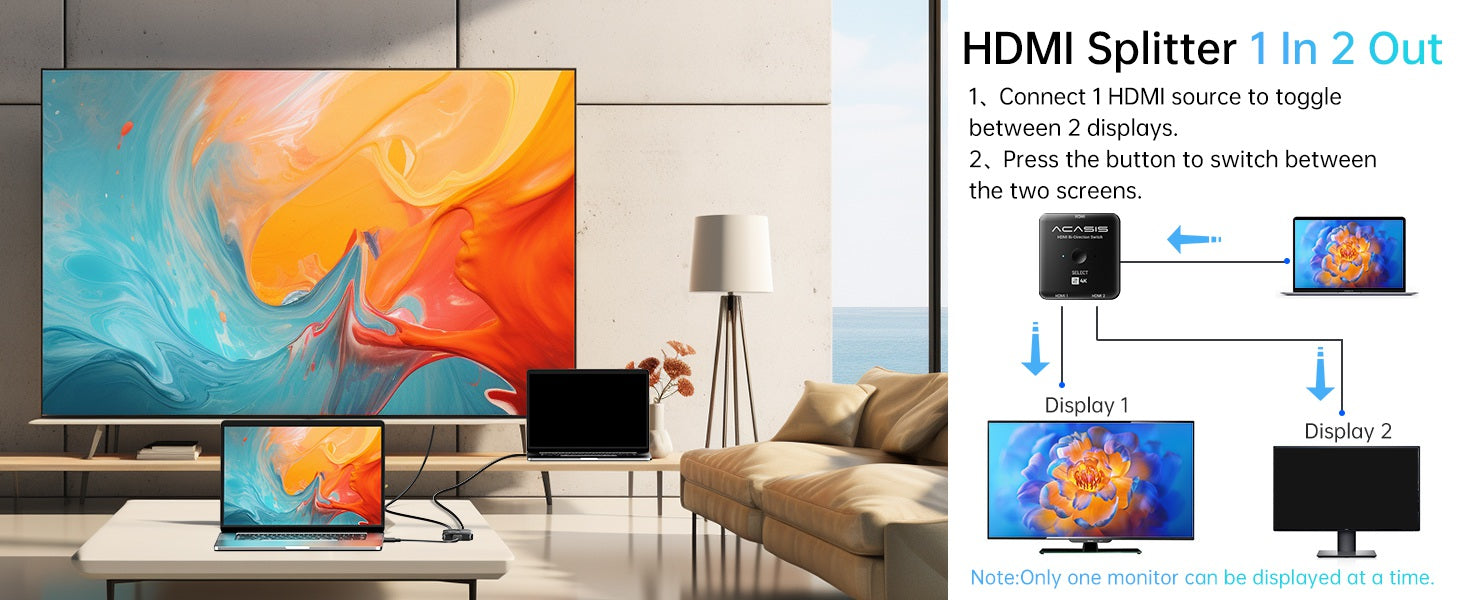
In Splitter mode (works as HDMI Splitter), offers 1 HDMI device with 2 external HDMI displays. (only 1 display can be displayed at a time).
1. Connect the signal hosts(for example: TV Box or Stick) to the 1 HDMI input ports (HDMI cables are not included).
2. Connect the hdmi switch to the displays (TV & Monitor), please remember to set the signal source to HDMI.
3. Press the “select” button to select the signal host manually.


 |
One click switching |
Portable size |
 |
 |
Advanced Chipset |
Plug and Play |
 |
For Work

For Game

Take A Break

Original: $9.90
-70%$9.90
$2.97Product Information
Product Information
Shipping & Returns
Shipping & Returns
Description
ACASIS High-Speed Bi-Directional 8K HDMI 2.1 Switcher & Splitter - Experience Immersive Cinema Quality at Home
2 Modes, Switch as You Like
In Switch mode (works as HDMI Switch), offers 2 HDMI inputs to connect with 1 HDMI display, you can switch between them to avoid the damage of the HDMI display caused by plugging and unplugging the HDMI cable.
1. Connect the signal hosts(for example: PC, PS4) to the 2 HDMI input ports (HDMI cables are not included).
2. Connect the hdmi switch to a display (TV or Monitor), please remember to set the signal source to HDMI.
3. Press the “select” button to select the signal host manually.
In Splitter mode (works as HDMI Splitter), offers 1 HDMI device with 2 external HDMI displays. (only 1 display can be displayed at a time).
1. Connect the signal hosts(for example: TV Box or Stick) to the 1 HDMI input ports (HDMI cables are not included).
2. Connect the hdmi switch to the displays (TV & Monitor), please remember to set the signal source to HDMI.
3. Press the “select” button to select the signal host manually.
|
One click switching |
Portable size |
|
|
Advanced Chipset |
Plug and Play |
|
For Work
For Game
Take A Break